Craft a Perfect Out-of-the-Office Email

A Simple Guide to Crafting Your OOO Email with Ready-to-Use Templates.

Leaving emails unanswered can feel like a missed opportunity. A thoughtful out-of-the-office email autoresponder is more than just a courtesy—it  shows professionalism, establishes expectations while you’re away and provides you with the mental space to completely unplug and enjoy your holiday.

Why an Out-of-the-Office Email Matters

An out-of-the-office (OOO) email is your digital stand-in when you’re not available. Whether you’re taking a vacation, attending a conference, or focusing on personal time, a polished auto-reply:

  • Establishes expectations about your availability.
  • Guides clients and colleagues toward alternative contacts or resources.
  • Provides you with mental space to fully unplug.

How to Write a Standout Out-of-the-Office Email

Start With an Informative Subject Line

Keep it clear yet engaging. Examples:

  • “Out of Office Until [Date]: Here’s How I Can Help While I’m Away”
  • “I’m Currently Unavailable—But Here’s What You Need to Know”

Set the Tone With a Friendly Greeting

A simple “Hi there!” or “Hello!” is approachable and professional.

Acknowledge Their Email

Express gratitude to the sender with something like: “Thank you for reaching out! I appreciate your message.”

State Your Absence Clearly

Mention the duration of your absence, e.g.: “I’ll be out of the office from [start date] to [end date] and will respond upon my return.”

Provide Alternative Contacts

If a virtual assistant or team member can assist while you’re away, include their details:
“For urgent matters, please contact [Name], [Role], at [email/phone]. They’ll be happy to assist you.”

Add a Personal Touch

Show some personality with humor, a helpful resource, or a motivational quote:
“While I’m out, check out this free [resource] to help streamline your tasks!”

End With a Positive Closing

Wrap up warmly: “Looking forward to connecting when I’m back!”

creative ooo email templates

Creative Out-of-the-Office Email Templates for Solopreneurs

Here are a couple of ideas on what to say when you have no alternative contact:

TEMPLATE 1: If you’re completely unreachable

Subject: Out of Office Until [Date]

Hi there!

I’m currently out of the office until [date] and will not be checking emails during this time.

In the meantime, here’s something you might find helpful:
[Include something useful, i.e., a worksheet, tool, video, blog post, etc.]

Thank you for your patience—I’ll respond as soon as I return.

Warm regards,
[Your Name]

TEMPLATE 2: If you’re checking emails occasionally

Subject: Out of Office – Limited Access

Hi there!

I’m currently out of the office until [date]. While I’ll be checking emails intermittently, my responses may be delayed.

For immediate assistance, please resend your email with “URGENT: [Original Subject]” in the subject line.

While you wait, here’s something to explore:
[Include something useful, i.e., a worksheet, tool, video, blog post, etc.]

Looking forward to connecting soon!

Best regards,
[Your Name]

How to Set Up Your Out-of-the-Office Auto-Reply

For Gmail users:

  1. Go to Settings > See All Settings > Vacation Responder.
  2. Fill out the start and end dates, subject, and message.
  3. Save changes.

For Outlook users:

  1. Go to File > Automatic Replies.
  2. Set your dates, craft your message, and click OK.

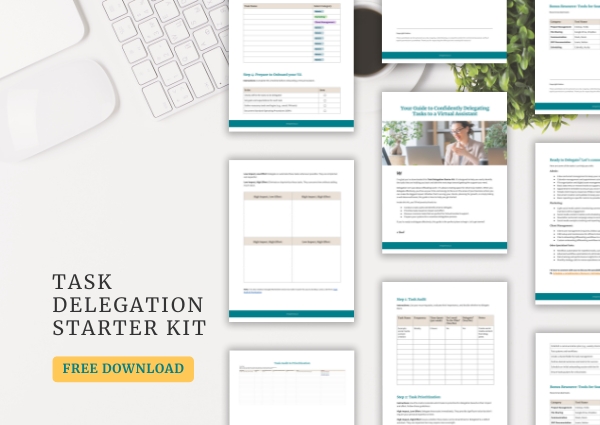
Looking for a Virtual Assistant but don’t know where to start? Download my Task Delegation Starter Kit, to guide you in the right direction!

Delegating is a growth strategy.

Have more time and bandwidth to scale up your business.

Other Posts

health coach site tablet mockup featured image
ai logo generator blog image
brand style guide blog
woman typing on a laptop image used as a featured image for Inboz Zero blog post
business woman thinking - how a virtual assistant can help
delegating tasks to a virtual assistant made easy with the task delegation starter kit
review your business systems
Janel Founder of Delegate Today | Virtual Assistance for Solopreneurs
AI chatbots in customer support
service providers
canva graphic design tool
screenshot of Dubsado client portal banner used as a featured image for the Done-For-You Dubsado Client Portal Banner blog post
desktop mockup
productivity routine
benefits of working with a virtual assistant
zone of genius
health coach site tablet mockup featured image
ai logo generator blog image
brand style guide blog
woman typing on a laptop image used as a featured image for Inboz Zero blog post
business woman thinking - how a virtual assistant can help
delegating tasks to a virtual assistant made easy with the task delegation starter kit
review your business systems
Janel Founder of Delegate Today | Virtual Assistance for Solopreneurs
AI chatbots in customer support
service providers
canva graphic design tool
screenshot of Dubsado client portal banner used as a featured image for the Done-For-You Dubsado Client Portal Banner blog post
desktop mockup
productivity routine
benefits of working with a virtual assistant
zone of genius

Comments